Showing posts with label Norton Power Eraser. Show all posts

7/08/2014

Norton Power Eraser 2015 Download


Norton Power Eraser 2015 available for Windows PC users. You can download the beta version from here.

Norton Power Eraser is virus removal tool from Symantec Norton. An important step to save your PC in case your regular virus scan doesn’t detect.
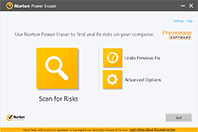


What’s New on Norton Power Eraser 2015?

For the last few years, Norton Power Eraser has included a set of very aggressive threat detection heuristics (or “rules of thumb”) that identify new threats. The New Norton Power Eraser 2015 includes heuristics that enable it to identify even the most resilient threats without risking a higher rate of false positives. 

Norton Power Eraser 2015 eliminates deeply embedded and difficult to remove crimeware that traditional virus scanning does not always detect. Improved remediation flow, detection for potentially unwanted applications, simplified rootkit scanning and enhanced rootkit detection.

For more information visit: http://us.norton.com/beta/overview/ns-beta

8/09/2013

Norton Power Eraser 4.0 (2014) Download


The New Norton Power Eraser 4.0 (2014) Beta available for Download. 
Power Eraser is FREE tool from Symantec Norton to use in case that your regular virus scan doesn’t detect. An important step to save your PC.

What's New?

UI message streamlining/ UI refresh - UI has been updated and the messaging has been simplified

Safe mode persistence - NPE is able to determine when the machine is in safe mode and will restart the machine in safe mode prior to scanning, NPE will return the machine to normal mode prior to threat removal

Scanning across user profiles - Norton Power Eraser 4.0 (2014) can now scan across user profiles, if there is an infected account you cannot log into to use Norton Power Eraser, you can scan from another account such as Administrator

Java vulnerability scan - Norton Power Eraser 4.0 (2014) detects when the Java is out of date and provides a link to a KB to correct this.

Click here to Download the New Beta version of Norton Power Eraser 4.0 (2014)

2/12/2013

How to remove Department of Justice Virus Free by Norton Power Eraser


The Department of Justice Virus is a Malware or ransomware that fakes as an alert or a warning from the Department of Justice that you are involved in illegal cyber activity and demands that you pay a fine or end up in jail.

In other words, this computer virus claiming to be from the Department of Justice, locks your PC for a ransom!!!

Department of Justice Virus/ Malware/ Ransomware/ Green Dot Virus Removal Instructions: 

1) Start by shutting down your computer by holding the power button for ten seconds.
2) As the system restarts, press F8 key twice to bring up the advanced boot options.
3) Use the down arrow to select "Safe Mode with Networking" option.
4) Using the browser, go to http://norton.com/npe
5) Click the button "Download Norton Power Eraser" (this antivirus will uninstall Department of Justice Virus)
6) Save it to the Desktop and double click icon to run the exe file
7) Agree to the User License terms
8) As soon as Norton Power Eraser initializes, click 'Scan for Viruses'
9) Let it Restart to scan
10) Tap F8 again as the computer reboots
11) Use the down arrow to select "Safe Mode with Networking" option again.
12) Click Run to allow Norton Power Eraser to automatically scan.
13) Once it finishes, you'll see the 'Scan Complete' window with the results of the infected file.
14) Click the Fix button at the bottom to remove Department of Justice virus, if found.
15) It will ask you to reboot or restart your system one more time. Click Restart.
16) When your computer reboots to normal mode, you'll see a confirmation that NPE uninstalled the Department of Justice Green Dot virus.

This Green Dot Threat guide is from http://www.youtube.com/watch?v=lpXRTlRn1X8