Showing posts with label Symantec. Show all posts

4/20/2016

The New Norton Security 2017 Beta is Here!


Symantec has released the beta version of Norton Security 2017 for Windows 10, Windows 8.1, Windows 8, Windows 7, Windows Vista Service Pack 1 or later and Windows XP Service Pack 3

To install your Norton Security 2017 BETA: Visit: https://manage.norton.com/beta?page=register and enter your email address, your installation of the beta test version of Norton Security 2017 should have started automatically.
If it did not, follow the directions below:
1. Save the file 'NSBUBetaDownloader.exe' to your desktop, double-click it to download the product and start the installation.
2.If the email address you're using is not registered to a Norton Account, you will have to click on 'Create a Norton Account’ when prompted to Sign In.
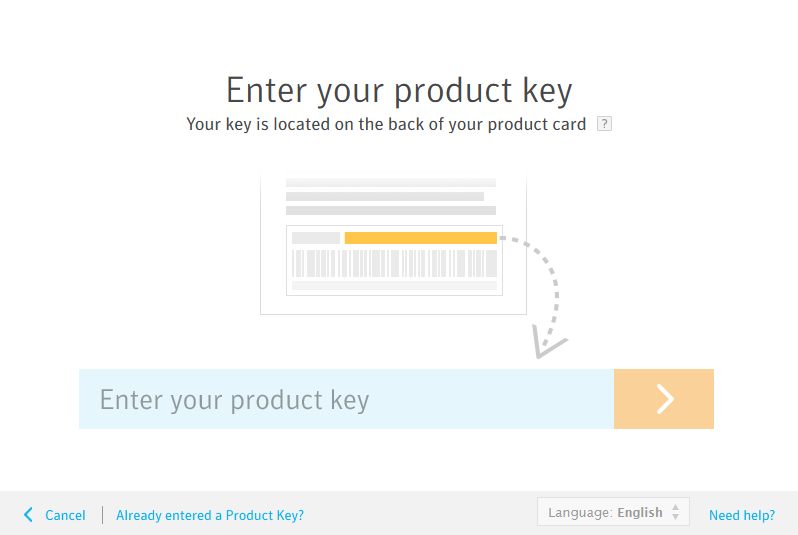
3.Copy and paste or retype your Product Key to activate your Norton Security 2017software.

Protect it all with the best of Norton. Get Norton Security today.  
http://www.anti-virus4u.com/Norton-Security-s/51.htm

What's new in Norton Security 2017?

Sandboxing, or isolating potential threats - Cybercriminals attempt to trick security solutions by “packing-up” malware (often-times within legitimate software files) to prevent it from being identified. Norton is extremely proud to announce a new high-performance emulator that uses these cybercriminals' tricks against them. Norton Security will run and analyze unknown and suspicious files in an isolated protected virtual environment to see how they act before allowing the file to be run on the user's device. This helps to ensure the file is safe before it takes up residence and wreaks havoc on a user's device. 

IPS support for https - Norton Security's Intrusion Prevention System (IPS) blocks threats originating from your network, before those threats take up residence on a device. To help protect customer's data, financial institutions and other organizations that deal with your personal information use https - the encrypted version of http. Unfortunately, suspect sites have followed suit and are using https as well. The IPS included in Norton Security now detects attacks using https connections, and stops those attacks before they take up residence on the device. 

Proactive exploit protection (PEP) - Holes and backdoors in your operating system and other software that you've installed are exploited by cybercriminals to inject malware onto your device without your knowledge. These vulnerabilities often take weeks to months for the original software vendors to patch, leaving your system exposed to malware in the interim. PEP improves your device security, your privacy and your critical personal information by blocking the malware attempting to exploit these holes and backdoors. PEP is not dependent on signatures or prior knowledge of exploits, and is therefore able to address vulnerabilities from the day they exist.

64-bit browser support - Web browsers are a major entry point to the Internet for most users today. Malware writers continue to attack users through malware-infected websites designed to silently slip past the web browser (and device). Fraudulent websites attempt to trick users into providing personal and financial information. Norton Security now works within the 64-bit versions of Microsoft Internet Explorer and Mozilla Firefox. 

To receive updates when a new build is available, please follow our Norton Public Beta Twitter Account at http://www.twitter.com/norton_beta.

If you have questions concerning this beta, please click here or copy the following URL into your browser: https://community.norton.com/en/forums/Norton_Security_Public_Beta


8/08/2015

The New Norton Internet Security 2016 for Windows 10 is Here!

Symantec has released the New Norton Internet Security 2016 for Windows 10, the latest version of award-winning Antivirus and Internet Security package.

The New Norton Internet Security 2016 is Now Norton Security 2016!

The New Norton Internet Security has been designed for Microsoft Windows 10 in order to provide better visibility of your protection status, and better user experience which focus on ease of use.

 The New Norton Internet Security is compatible with Microsoft Windows 10, 8.1 ,8 ,7, Vista and XP


The New Norton Internet Security 2016 is one of the most advanced internet security solutions on the market. Faster and powerful than ever, includes features that will keep your Windows PC clean and secure such as: Norton Virus Protection, Smart Firewall, Anti-phishing, Identity Protection, Spam Protection and more.

Visit our Downloads page and try it before you buy it! or CLICK HERE to Save 60% on The New Norton Internet Security for LIMITED TIME only.

http://www.anti-virus4u.com/Norton-Security-s/51.htm


4/16/2015

Norton Security 2016 Beta (Windows 10) Download Links

Symantec has released the public beta of Norton Security 2016 and Norton Security with Backup 2016. The New version exclusively designed for Windows 10.

Welcome to Norton Security 2016 and Norton Security with Backup 2016


NOTE: You shouldn't use the Beta version of Norton Security 2016 as your main security protection

Norton Security 2016 - Supported Operating Systems 
  • Microsoft® Windows® XP (32-bit) Home/Professional/Tablet PC/Media Center (32-bit) with Service Pack 3 (SP 3) or later 
  • Microsoft Windows Vista® (32-bit and 64-bit) Starter/Home Basic/Home Premium/Business/Ultimate with Service Pack 1 (SP 1) or later 
  • Microsoft Windows 7 (32-bit and 64-bit) Starter/Home Basic/Home Premium/Business/Ultimate with Service Pack 1 (SP 1) or later 
  • Microsoft Windows 8/8 Pro (32-bit and 64-bit) o Microsoft Windows 8.1/8.1 Pro (32-bit and 64-bit) 

Norton Security 2016 Beta Download Link

Norton Security with Backup 2016 Beta Download Link

Click Here to Save 40% on The NEW Norton Security

Norton 2016 Beta Known Issues:
  • UPGRADE - When the 22.5 (2016) beta layout is installed over 22.x (2015) builds, upgrade error occurs - however, product is functional with the second reboot 
  • MAIN UI - Backup widget is shown in NS BETA layout, but it takes the customer to the NOBU beta portal 
  • BACKUP - The blue overlay icons are not displayed in Windows 10 OS 
  • BACKUP - Backed up Optical drive is missing in N-Drive in Windows 10 OS 
  • BACKUP - Throttle States are not changing when Bandwidth Throttle is moved 
  • CUSTOM SCAN - Scheduled Full System Scan becomes disabled when changes are made to Settings 
  • CUSTOM SCAN - Pausing a custom scan, doesn't actually pause the scan 
  • THREAT REMEDIATION - After turning on Auto-protect, live threat gets remediated without user consent 
  • DETECTION TOASTERS - 'View details' is cut off or missing on AP toasters (pop-up windows) 10.IDENTITY SAFE - In Google Chrome, the antiphishing blocking may not work on first visit to the page; however, it blocks correctly on non-Chrome and revisits to the page 
  • IDENTITY SAFE - On Windows 10 OS & IE not the default browser, launching logins from vault UI, always opens IE instead of using user's default browser 
You have to Download, Install and Activate your Norton Security 2016 Beta, for more information visit: http://us.norton.com/beta/overview/ns2016-beta
http://www.anti-virus4u.com/Norton-Security-s/51.htm
 

Norton Security Coupon codes 2015-2016

Welcome to Norton Security Coupon codes 2015-2016
Get the best deals for 1 and 2 years license key of the NEW Norton Security by Symantec.

  1. To Activate our Norton Security 2015-2016 Coupon codes Click Here.
  2. Select the product you need and Click BUY NOW
  3. Enter your Billing and Shipping address. 
  4. Follow the checkout all the way through and click the "Pay Now" button once (do not attempt multiple clicks).  

    Bookmark this page to keep up with the latest on Norton Security Coupon codes 2015-2016

4/12/2015

Download, Install and Activate your Norton Security Product

How to download, install and activate your Norton Security product?

We have chosen Norton Security, but you can follow the same steps to download, install and activate your Norton Security with Backup.

  1. Visit https://manage.norton.com/setup to create an account / sign in to enter your product key, access your account, manage your subscription, download, install and activate your Norton Security product. 
  2. Type your Norton Security product key and click the arrow icon.
     
  3. Click Agree & Download to download your Norton Security product via Norton download manager.
     
  4. Click the Norton downloader file.
     
  5. The system will find automatically, correct version of Norton Security that is compatible with your device.
     
  6. Click Agree & Install to install your Norton product. 
  7. Your Norton Security product will be automatically activated, and registered to your Norton account.
Congratulations! 
You have successfully download, install and activate your Norton Security product

Follow the same instructions to install all Norton Security products on your device.
http://www.anti-virus4u.com/Norton-Security-s/51.htm


Norton Security 2016 Products called Norton Security Version 23


The next version of Norton Security 2016 products called Norton Security Version 23

Norton Security 2016 (V23)
Norton Security with Backup 2016 (V23)

Starting with 2015 release, Norton products are called Norton Security. Norton Antivirus and Internet Security changed to Norton Security and Norton 360 changed to Norton Security with Backup. In addition the version in the name is gone.

This allows to perpetually releasing versions of the products without having to do GUI (Graphical user interface) changes in the products.

NOTE: Symantec provides a free upgrade to any new version of Norton Security or Norton Security with Backup. If you are using old Norton Security product you can upgrade, free of charge to the new version of Norton Security or Norton Security with Backup as long as your software license key is valid.

In order to find the version of your Norton product:
1. Start your Norton product. 
2. On top-right corner, click Help & Support or Support > About 

For example: 
23.x.x.x: 2016 (Next version) 
22.x.x.x: 2015 (Current version) 
21.x.x.x: 2014 
20.x.x.x: 2013 
19.x.x.x: 2012 
18.x.x.x: 2011 
http://www.anti-virus4u.com/Norton-Security-s/51.htm


11/11/2014

Norton Security 2015 Offline Installer Download Links

Norton Security 2015 and Norton Security with Backup 2015 Offline Installer Download Links - Languages: English, Arabic, Chinese, Confederation of Helvetia (Switzerland), Czechs, Danish, Dutch, French, Hebrew, Hungarian, Hungarian, Italian, Japanese, Norwegian, Polish, Portuguese, Romanian, Russian and Slovak.

Compatible with Windows 8.1 / 8.1 Pro / 8 / 8 Pro / 7 / Vista / XP / XP Pro

Select your language by clicking on the web address below. If that does not work, please cut and paste the entire web address into the address field of your browser. 

Norton Security 2015 Offline Installer Download Links

 Click Here to Save 30% on Norton Security 2015

English 

Arabic 

Chinese 

Confederation of Helvetia (Switzerland) 

Czechs 

Danish 

Dutch 

French 

Hebrew 

Hungarian 

Italian 

Japanese 

Norwegian 

Polish 

Portuguese 

Romanian 

Russian 

Slovak 


Norton Security with Backup 2015 Offline Installer Download Links

English 

Arabic 

Chinese 

Confederation of Helvetia (Switzerland

Czechs 

Danish 

Dutch 

French 

Hebrew 

Hungarian 

Italian 

Japanese 

Norwegian 

Polish 

Portuguese 

Romanian 

Russian 

Slovak 
http://www.anti-virus4u.com/Norton-s/51.htm

5/21/2014

The New Norton Small Business (NSB)


The New Norton Small Business (NSB) is Here! The protection and simplicity of Norton, built from the ground up to protect small businesses. 

Norton Small Business compatible with Windows® 8 / 8 Pro / 7 / XP / XP Pro / Vista / Mac OS® X 10.7 / 10.8 / Android™ 2.2 or later / iOS 4.3 or later 


Now small businesses can add critical protection without adding to their to-do list. Norton Small Business lets small businesses easily secure their PCs, Macs, smartphones and tablets, all with a few clicks. Safeguard their business against viruses, malware, spam, and more with a solution that won't slow them down. Subscribers can add protection to all their business devices with only an email, easily secure any new devices on the same subscription, and manage everything from a simple web portal so ensuring their business is protected takes less time out of their day. After all, running a business is hard work, protecting it shouldn't be. 
http://www.anti-virus4u.com/Norton-s/51.htm

4/11/2014

Symantec investigating the OpenSSL vulnerability, dubbed Heartbleed

Symantec is aware of and currently investigating the OpenSSL vulnerability, dubbed Heartbleed -- which allows attackers to read the memory of the systems using vulnerable versions of OpenSSL software. This may disclose the secret keys, which allows attackers to decrypt and eavesdrop on SSL encrypted communications and impersonate service providers. In addition, other data in memory may be disclosed including names and passwords of the users or other data stored in memory by the service.

Here is what Symantec recommends:

Advice for businesses: 
• Anyone using OpenSSL 1.0.1 through 1.0.1f should update to the latest fixed version of the software (1.0.1g), or recompile OpenSSL without the heartbeat extension.
• After moving to a fixed version of OpenSSL, if you believe your web server certificates may have been compromised or stolen as a result of exploitation, contact the certificate authority for a replacement.
 • Finally, and as a best practice, businesses should also consider resetting end-user passwords that may have been visible in a compromised server memory.

Advice for consumers: 
• You should be aware that your data could have been seen by a third party if you used a vulnerable service provider.
 • Monitor any notices from the vendors you use. Once a vulnerable vendor has communicated customers that they should change their passwords, users should do so.
 • Avoid potential phishing emails from attackers asking you to update your password -- to avoid going to an impersonated website, stick with the official site domain.
 • Stick to reputable websites and services. They are most likely to have immediately addressed the vulnerability.
 • Monitor your bank and credit card statements to check for any unusual transactions.

For more information, visit: http://www.symantec.com/connect/blogs/heartbleed-bug-poses-serious-threat-unpatched-servers

http://www.anti-virus4u.com/Norton-s/51.htm

3/09/2014

TOP 3 Business Antivirus Solutions


Here's the TOP 3 Business Antivirus Solutions for small and medium-sized business by Anti-Virus4U.com

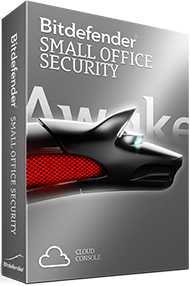
Bitdefender Small Office Security
http://www.anti-virus4u.com/Best-Business-Antivirus-Solutions-s/150.htm
Bitdefender Small Office Security is the best security solution for small and medium-sized business with limited or no IT/Infrastructure resources. Bitdefender Bitdefender Small Office Security is a cloud-based malware protection service for Microsoft Windows, Mac and servers and protects against Viruses, Worms, Trojans, Spyware, Adware, Keyloggers, Rootkits, phishing and much more.

Symantec Endpoint Protection Small Business Edition
http://www.anti-virus4u.com/Best-Business-Antivirus-Solutions-s/150.htm
Symantec Endpoint Small Business Edition is simple, quick, and effective solution that defends against malware, viruses, trojans, worms, spyware, zero day threats and root kits. It secures notebooks, desktop PCs, and web servers.

Kaspersky Small Office Security 
 
http://www.anti-virus4u.com/Best-Business-Antivirus-Solutions-s/150.htm
 Kaspersky Small Office Security World-class anti-malware for Window-based PC's and file servers Kaspersky isn't just for personal use! Kaspersky has the protection beyond the core offerings that everyone is familiar with and can help protect small businesses as well! 

http://www.anti-virus4u.com/Best-Business-Antivirus-Solutions-s/150.htm

1/27/2014

Cyber Tech 2014 - INTERNATIONAL EXHIBITION CYBER SOLUTIONS


Cyber Tech 2014 the INTERNATIONAL EXHIBITION CONFERENCE for CYBER SOLUTIONS officially begins today and runs through Tuesday. 

Unprecedented summit meeting of seniors of the cyber and high-tech industry. Sponsored by: IBM, Symantec, McAfee, Cisco, Check Point, and more. 

IBM Senior VP Steven Mills opened the Cyber Tech 2014 conference in the Israel Trade Fairs & Convention Center in Tel Aviv by introducing the IBM’s security concepts and announced that IBM and Ben Gurion University have joint plans as well. 

Israeli Prime Minister Benjamin Netanyahu said “The Internet world around us holds advantages but also many dangers”. Prime Minister Benjamin Netanyahu didn't mention the cyber attack (Cyber Firm).
http://www.anti-virus4u.com/Special-Offers-s/18.htm
The Symantec™ Cyber Readiness Challenge will be hosted during the CyberTech event, and will be accessible for viewing to the attending crowd. 

Designed for many levels of technical skill and experience it puts participants in the hacker's shoes to understand their targets, technology and thought processes so they can ultimately better protect their organization and themselves. 


11/27/2013

Norton 360 Black Friday & Cyber Monday 2013 Official Deal!


Limited-Time Offer from Symantec for Black Friday & Cyber Monday 2013 

Get Norton 360 2014 V21 (15 Month Subscription) for up to 3 PC's + FREE Norton Virus Removal Assurance (15 Month Subscription) - Only $24.99 

15 months protection for up to 3 PC's with one product key + 24x7 support for virus removals 

15 months of award-winning protection for the price of 12, plus anytime access to our hands-on, expert virus and spyware removal specialists 

http://www.anti-virus4u.com/Black-Friday-Norton-ESET-Bitdefender-Avira-AVG-Deals-Sale-s/133.htm

http://www.anti-virus4u.com/Symantec-Norton-s/51.htm